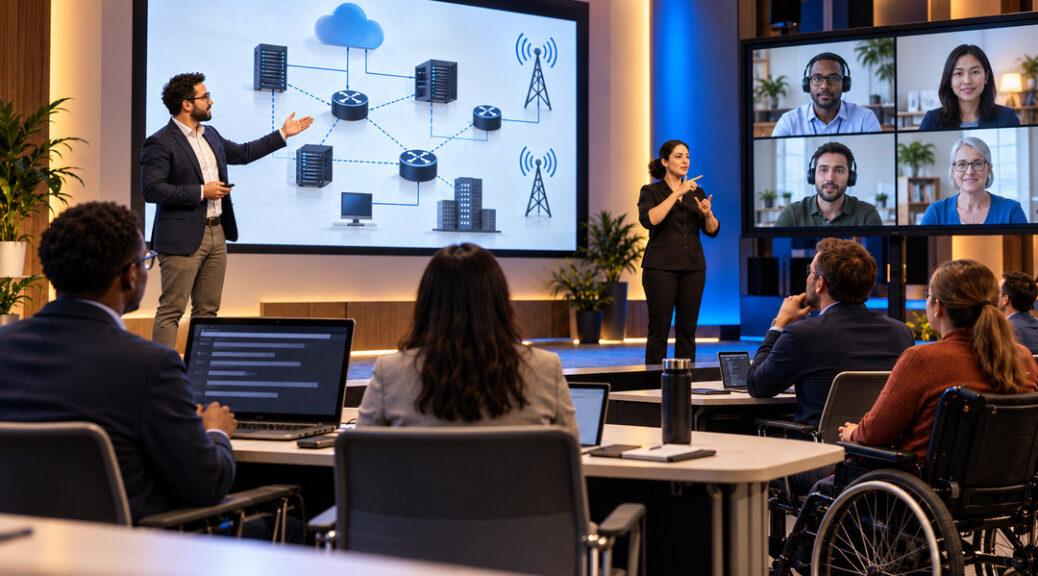
Live captions can make a telecommunications conference easier to follow, but they do not automatically make the event accessible. Participants may still be unable to complete registration, read technical diagrams, operate virtual meeting controls, or contribute to discussions.
For organizers of telecom conferences, engineering workshops, and professional networking events, accessibility should be evaluated across the entire participant experience.
A successful hybrid event must support people attending in person and remotely, including participants who use screen readers, keyboard navigation, assistive listening devices, captions, or sign-language interpretation.
The practical goal is not simply to provide accessibility features. It is to verify that participants can use those features to understand and contribute to the event.
That distinction is particularly important at telecommunications gatherings, where presentations often depend on network diagrams, specialist terminology, live software demonstrations, and interactive technical discussions.
Accessibility Begins Before Anyone Joins the Conference
A participant’s first interaction with an event is often the registration website.
If the registration form cannot be operated with a keyboard, a screen reader cannot identify its fields, or essential information appears only in an inaccessible PDF, the participant may encounter barriers before the conference begins.
The World Wide Web Consortium’s event accessibility checklist recommends considering accessibility throughout event planning, including registration, venue arrangements, presentation materials, multimedia, and participant activities.
This is a useful starting point because accessibility problems are rarely confined to the conference platform itself.
A telecommunications event might offer excellent live captions while distributing its agenda as an image containing unreadable text.
Another might have an accessible website but require participants to complete an online registration process that cannot be navigated using assistive technology.
Organizers should test the complete registration journey rather than relying on a software supplier’s accessibility claims.
That includes checking whether participants can review event details, select sessions, submit information, receive confirmation, and access joining instructions.
Registration should also provide a clear way to request accessibility accommodations.
Such requests should be handled privately, with enough preparation time to arrange appropriate services and coordinate with participants.
Why a Hybrid Platform’s Accessibility Features Are Not Enough
A virtual event platform may advertise captions, screen-reader compatibility, keyboard shortcuts, and accessible chat functions.
These are useful capabilities, but their presence does not guarantee that the conference itself will be accessible.
The W3C’s guidance on accessibility in remote and hybrid meetings identifies three interacting responsibilities:
- Accessibility of the meeting platform.
- Accessibility of the content being presented.
- Appropriate use of accessibility features by hosts and participants.
Consider a telecom engineer presenting an optical network diagram.
The meeting platform might work correctly with a screen reader, but a diagram displayed through screen sharing may still be inaccessible to someone who cannot see it.
A presenter might also say, “The failure occurs at this connection,” while pointing to a line without describing the relevant network elements.
The platform has not necessarily failed. The barrier comes from the presentation method.
The guidance is a W3C Group Note, not a binding technical standard or legal determination. Its practical value lies in showing why purchasing an accessible platform is only one part of the organizer’s responsibility.
For telecom event teams, this means platform procurement should include real participation tests involving presentations, questions, documents, and interactive tools—not just a review of advertised features.
Technical Presentations Create Special Accessibility Challenges
Telecommunications conferences regularly feature subjects that are difficult to communicate through slides alone.
Network architecture, fiber testing, radio propagation, routing changes, and infrastructure planning often depend on detailed diagrams and abbreviations.
These subjects can be presented accessibly without removing their technical content.
Describe What Matters in a Network Diagram
A speaker discussing a network outage should identify the components and relationships that matter.
Instead of saying, “Traffic switches from here to here,” the presenter could explain that traffic moves from the primary aggregation router to a secondary router through a separate transport connection.
That explanation provides meaningful technical information without requiring every participant to see the speaker’s pointer.
Accessible presentation materials should also contain appropriate text descriptions, meaningful headings, and readable labels.
Complex engineering diagrams may require a longer accompanying explanation rather than a short image description.
The purpose is to communicate the relevant technical relationships, not merely identify that an image exists.
Prepare Technical Vocabulary for Captioners and Interpreters
Automated speech recognition can struggle with specialized terminology.
A discussion involving BGP, RPKI, optical time-domain reflectometers, autonomous system numbers, or equipment model identifiers may produce confusing captions.
For example, an incorrect transcription of a routing term or numerical value could change the meaning of a technical explanation.
Organizers should request terminology lists and presentation materials from speakers before the event.
Where professional captioning or interpreting services are used, those materials can help providers prepare for specialist content.
When automated captions are used, teams should test their accuracy with realistic subject matter and understand their limitations.
Caption accuracy deserves particular attention when sessions explain safety, network configuration, regulatory obligations, or technical measurements.
Make Demonstrations Understandable Without Relying Entirely on Video
A live demonstration may show router configuration changes, fiber measurements, network alarms, or cybersecurity monitoring.
The presenter should describe the relevant action and outcome.
For example, instead of announcing that a test “looks good,” the speaker could explain which parameter was checked and what the displayed result means.
If a demonstration uses synthetic data, the speaker should identify it as an example rather than an actual customer incident.
Participants should receive accessible supporting documentation when feasible, especially when screen sharing alone cannot communicate the details.
Captions, Interpretation, and Assistive Listening Serve Different Needs
Real-time captions convert spoken information into text.
They can help participants who are deaf or hard of hearing, people working in noisy environments, and attendees who find written language useful when following complex technical discussions.
However, captions are not a universal substitute for every communication accommodation.
Some participants may require sign-language interpretation. Others may benefit from assistive listening systems, accessible written materials, or different communication arrangements.
The U.S. Department of Justice’s ADA effective communication guidance explains that covered entities must provide appropriate auxiliary aids and services when needed for effective communication, subject to the applicable legal provisions.
The appropriate aid depends on circumstances, including the communication’s complexity, duration, and context, as well as the person’s normal communication method.
The rules differ according to the type of covered organization. For example, the applicable considerations for a state or local government entity are not identical in every respect to those for a private business.
Organizers should therefore avoid assuming that one captioning arrangement automatically fulfills every legal or practical obligation.
For an international telecom conference, jurisdiction-specific requirements may also differ.
Accessibility planning should be based on actual participant needs, applicable requirements, and the nature of the event—not an unsupported claim that a particular software feature makes the conference compliant.
Remote Participants Must Be Able to Ask Questions
One of the most common weaknesses in hybrid meetings is unequal participation.
A presenter may respond to questions from the physical audience while remote participants remain limited to a text chat that nobody monitors.
Even when the event provides captions and accessible slides, this arrangement can prevent some participants from contributing.
A useful solution is to assign an explicit responsibility for managing questions from both audiences.
The moderator should be able to recognize remote participants, relay questions submitted through accessible methods, and ensure that spoken questions in the venue are captured through microphones.
If an audience member asks a question without using a microphone, the moderator can repeat it before the speaker answers.
This supports remote listeners and improves the information available to captioners.
Interactive activities require similar attention.
An online poll may be difficult to complete if it depends on a short countdown or inaccessible interface. A networking activity may exclude participants if it requires a particular device or communication method.
Organizers should offer reasonable alternatives when an activity cannot be used effectively by everyone.
NATEWIN’s guide to hybrid telecommunications conferences discusses the importance of balancing remote and in-person participation.
Accessibility adds a more specific requirement: organizers should test whether people using different access methods can actually participate in those activities.
Test the Complete Event Before Opening Registration
An event team can reduce avoidable problems by organizing a structured accessibility test before finalizing the conference arrangements.
The U.S. government’s Accessible Meetings guidance recommends preparing accessible materials, confirming accommodation arrangements, testing meeting controls, and rehearsing how hosts will manage features such as captioning and interpretation.
The guidance is primarily intended for federal agency accessibility responsibilities under Section 508 and related laws. Private telecom organizers can use many of its practical recommendations without assuming that all federal requirements apply to their own events.
A useful technical rehearsal might include the following checks.
Registration: Can a participant navigate the form and complete registration without using a mouse?
Joining: Can participants locate meeting information, authenticate, and enter the conference using supported assistive technology?
Audio: Can remote participants clearly hear questions asked inside the physical venue?
Captions: Are captions available where needed, reasonably accurate, and usable during presentations and discussions?
Slides: Are technical diagrams explained, and can participants obtain accessible versions of supporting materials?
Interaction: Can participants submit questions, communicate with moderators, and participate in essential activities?
Recovery: What happens if captioning, interpretation, or another essential accessibility service becomes unavailable?
That final check is especially relevant to an audience of telecommunications professionals.
Network engineers routinely consider service interruptions, backup systems, and recovery procedures. Event accessibility services deserve comparable operational planning.
A useful rehearsal should establish who will identify a failure, who will communicate with affected participants, and whether the session should pause until an appropriate alternative is available.
This is not a guarantee that every possible accessibility problem will be prevented. It is a practical method for identifying predictable barriers while the event team can still address them.
Build Accessibility Into the Conference Agenda
Accessibility becomes more difficult when it is added after speakers, session formats, and venues have already been finalized.
A better approach is to include accessibility expectations when developing the agenda.
Organizers can tell speakers in advance how to prepare accessible slides, explain visual material, provide terminology lists, and accommodate different audience participation methods.
Session lengths and breaks also matter.
Participants may need additional time to move between meeting rooms, use assistive technology, or manage individual access requirements.
Speakers should know which activities will require captioning, interpretation, accessible documents, or additional technical support.
These arrangements are easier to coordinate before the event than during a live session.
NATEWIN’s telecommunications conference agenda planning guide provides related advice on organizing sessions around meaningful professional learning.
An accessibility review strengthens that process by checking whether the intended audience can obtain the information and participate in the activities.
For a technical conference, accessibility should be one of the criteria used to decide whether a presentation format is suitable.
Measure Participation Barriers, Not Just Attendance
Conference organizers often evaluate success using registrations, attendance, session ratings, and engagement statistics.
These measurements provide useful information, but they do not establish whether participants experienced accessibility barriers.
An attendee may remain connected to a session despite being unable to read the slides or understand the captions.
An online participant may appear in attendance records while being unable to submit a question.
Post-event evaluation should therefore include an accessible way for participants to report problems with registration, communication, materials, and interaction.
The event team can also review documented accessibility-service interruptions, technical rehearsal findings, and unresolved accommodation requests.
Feedback should be collected without unnecessarily requesting sensitive personal information.
When producing recordings, organizers should also consider whether captions, transcripts, visual descriptions, and supporting documents make the material usable after the live event.
A recording should not be described as accessible merely because the original session provided live captions.
The Standard Is Meaningful Access to Technical Knowledge
Telecommunications conferences exist to exchange knowledge, develop professional relationships, and help people make better technical and business decisions.
Those objectives depend on communication.
An event may use excellent cameras, high-capacity internet connections, professional streaming equipment, and sophisticated networking software while still excluding participants through avoidable accessibility barriers.
The strongest conference plans connect technical production with accessible content, appropriate communication services, and realistic participation testing.
For organizers, the most useful final question is not whether the event platform includes an accessibility feature.
It is whether a participant who depends on that feature can register, understand the technical discussion, ask questions, and leave with the same essential information as other attendees.
That is a more meaningful measure of an accessible hybrid telecom conference.